A real-time crypto market screener
that actually updates live
Nine curated presets. Live WebSocket data from seven exchanges. One click from result to full chart. No login, no refresh button, no five-minute delay.
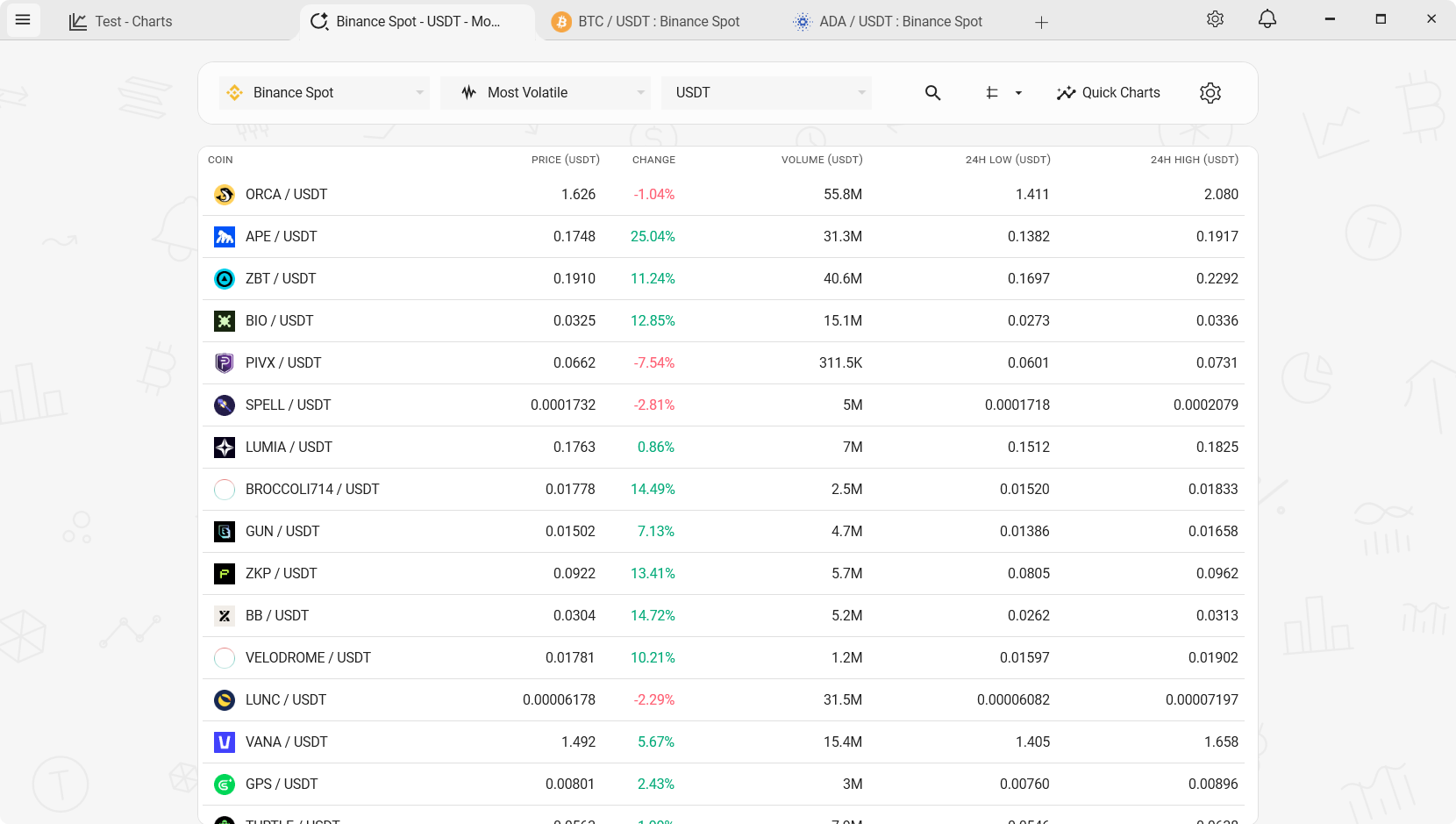
Most crypto screeners aren't actually live
Open any free crypto screener website, watch it for five minutes, and you'll notice something: the numbers barely move. That's not a UI problem - it's because most of them poll the exchange APIs on a timer. Five-second refresh, sometimes thirty. In fast markets, that's a lifetime.
Serious screeners that do update in real time tend to sit behind a paywall or a login. Either way, you end up either watching stale data or paying monthly for something that really ought to be free, given that the underlying data is public.
TabChart's screener is WebSocket-only
The screener subscribes directly to each exchange's ticker WebSocket stream and processes updates as they arrive - under a millisecond per tick, with zero polling. Every row you see recalculates live. You can switch between presets instantly without reconnecting anything.
It's the same pipeline the charts use. There's no separate "screener data feed" with its own delay. If a pair prints a new high, the chart sees it, the screener sees it, and the row re-sorts itself.
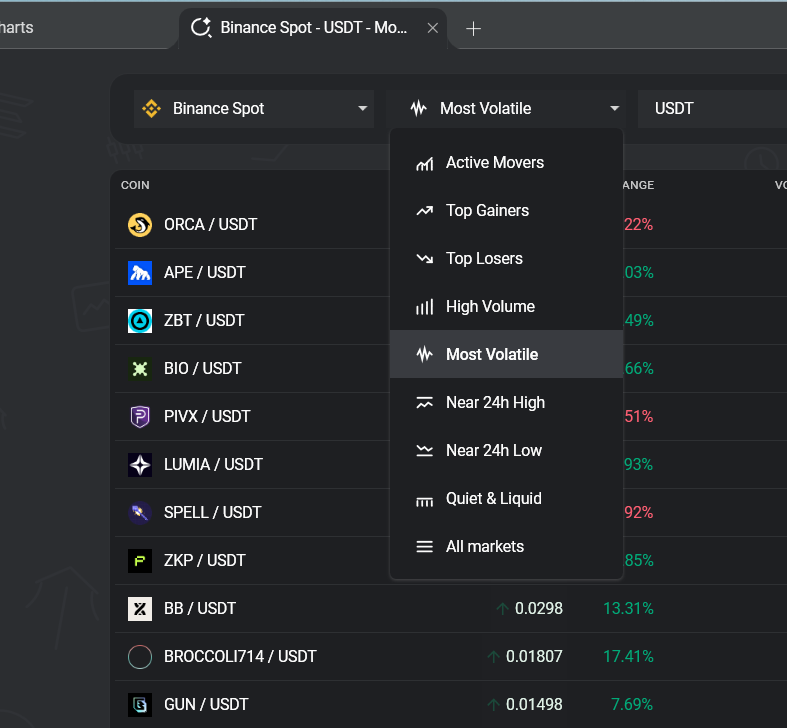
Nine presets, each for a specific workflow
Active Movers
Biggest absolute 24h price change in either direction. Catches rallies and sell-offs in one view.
Top Gainers / Top Losers
Two separate presets, sorted by percentage change. Strongest momentum at the top.
High Volume
24h trading volume ranking. The pairs where liquidity and attention are concentrated right now.
Most Volatile
Widest 24h range relative to price. Stablecoins auto-filtered out by both symbol and behaviour detection.
Near 24h High / Low
Pairs trading close to their 24h extremes. Useful for spotting breakout candidates or potential bounces.
Quiet & Liquid
Low volatility, high liquidity. The pairs scalpers and range traders actually want.
Quick Charts: preview without opening a workspace
The standard screener-to-chart flow is: see a row, click it, wait for a workspace to open. That's fine for one pair. It's awful when you're scanning fifteen candidates and only want to glance at each.
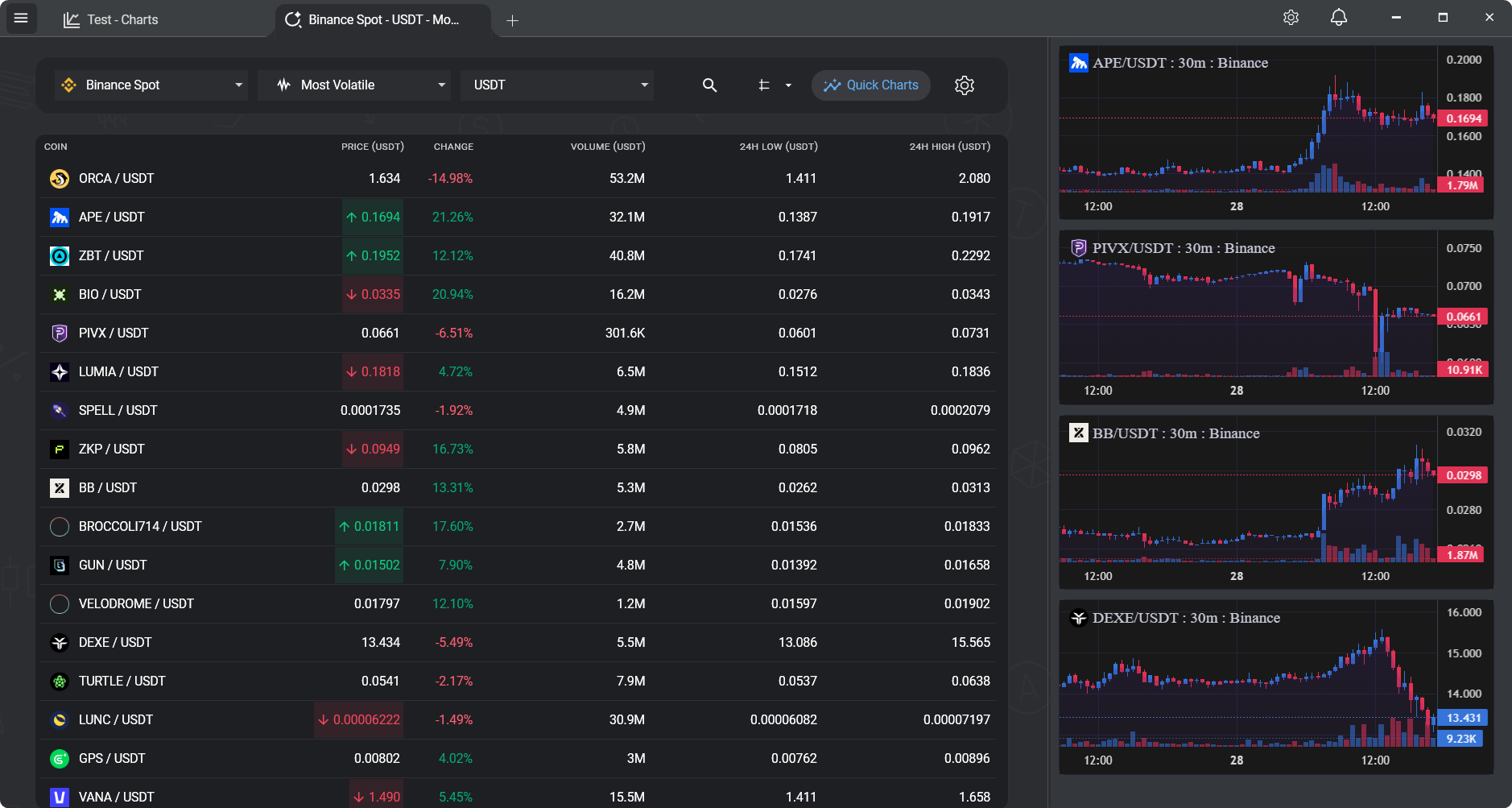
Quick Charts solves that. Hover on a row and you get an inline chart preview - real-time, same engine as the full view. When you find one worth a closer look, one click opens it in a full chart tab. The screener stays open in the background, still updating.
What the screener does, specifically
- Live WebSocket updates. Rows recalculate and re-sort as data arrives. No refresh button.
- Nine presets, zero setup. Open the screener, pick a preset, you're scanning. No filter-building required.
- Seven exchanges. Switch between Binance, Bybit, Kraken, KuCoin, OKX, HTX, and Poloniex. Each is scanned independently, using its own live feed.
- Stablecoin behaviour detection. Volatility presets automatically filter out pairs that behave like stablecoins, not just ones named like them.
- Quick Charts previews. Inline mini-charts for instant visual context without opening a full workspace.
- One-click to full chart. Any row opens in a full chart tab with your indicators and layout preferences applied.
- Works alongside your chart workspace. Screener on one tab, a multi-chart workspace on another. Everything updates at the same time.
A few honest questions
"Can I build my own custom filters?"
Not at the moment. The screener is preset-only by design - curated filters that cover the common scanning workflows. If you need arbitrary custom queries (Pine Script-style), TradingView's stock & crypto screener is the tool for that.
"How many pairs does it scan?"
Whatever the exchange lists. Binance alone has hundreds of spot pairs; the screener subscribes to the full ticker feed and filters on the client side. The "All Markets" preset is an unfiltered view if you want to browse everything.
"Does it work across exchanges at the same time?"
The screener scans one exchange at a time. You can switch instantly - the connection stays warm - but cross-exchange arbitrage scanning isn't the target workflow.
Related
Multi-chart crypto setup
Pair the screener with a multi-chart workspace for a full trading view.
Real-time crypto charts on Windows
The same WebSocket pipeline powering the charts.
Multi-exchange crypto charts
Screen any of the seven supported exchanges.
Free TradingView alternative
Another free tool that usually lives behind a TradingView paywall.
Scan a market the way it should work
Install, pick an exchange, open the screener. It's already live.
Download TabChart freeWindows 10/11 - free, no account needed