A native crypto charting app
not Electron, not a browser tab
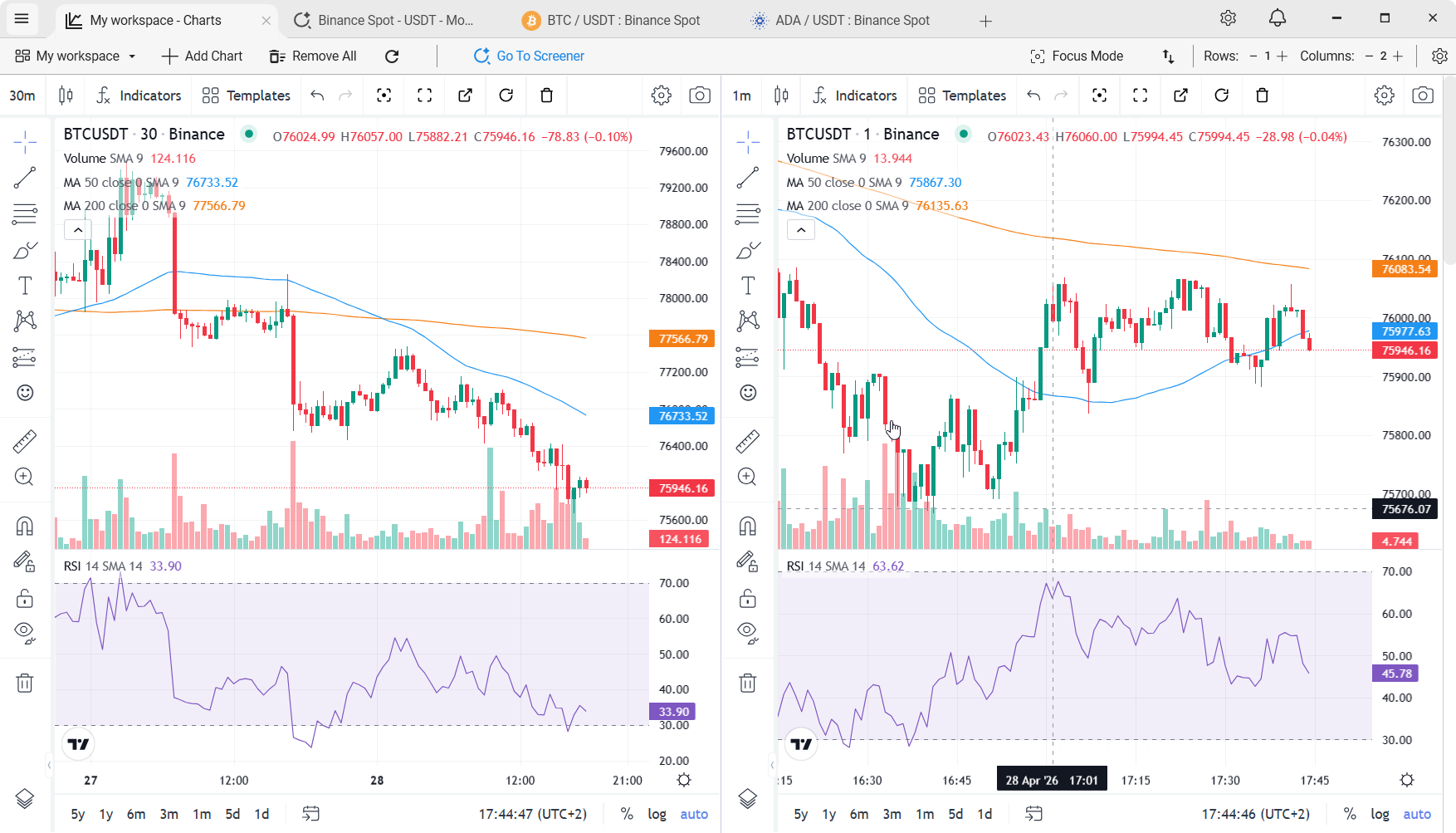
TabChart is built as a real native WPF application. Fast startup. Native windowing. Stable for the kind of long trading sessions where browser-based tools start dragging.
"Desktop app" usually means "browser in a trench coat"
Most trading tools sold as "desktop apps" today are Electron wrappers. The entire interface is a web page - menus, tabs, settings, the lot - running inside a browser engine that has been given a title bar. Nothing about the window is really a Windows window; it just looks like one.
It works, but it doesn't feel like a desktop app. Startup is slow. Memory creeps. After a few hours with multiple charts and a screener running, everything gets just slightly sluggish. Small issue on any given day; real annoyance when you do it every day.
TabChart is built as a real Windows app
The app is Windows Presentation Foundation (WPF) - the native Windows UI framework. The window, the tabs, the screener, the settings and the exchange connections are all native C# and WPF. One surface is not: the chart uses TradingView's charting library (the same engine as TradingView's website), which is JavaScript, so TabChart embeds a Chromium control to render it. That control is one component inside a native window - not the shell the whole app runs in.
The practical difference: TabChart starts almost immediately, sits around 150–300 MB of RAM with a typical workspace open, and stays smooth during long sessions. Windows treats it like any other desktop program - snap-to-edge, Alt+Tab, multi-monitor placement, and DPI scaling all work properly.
What being native actually buys you
Fast startup
The native window paints first, before the chart control loads. Double-click, the window appears, charts connect. A few seconds from click to live candles.
Low idle memory
Typical workspace sits at a fraction of what Electron-based equivalents consume. Your other tools get to use the rest of your RAM.
Stable long sessions
Designed to run for days at a time. Memory doesn't creep, rendering doesn't drift. Leave it open; come back to it.
Real Windows behaviour
Snap to edges, proper Alt+Tab entry, multi-monitor aware, high-DPI scaling without blurry fonts.
No browser side-effects
A crash in Chrome doesn't take your charts with it. A browser update doesn't change your trading tool's behaviour overnight.
Code-signed & verified
Installer is digitally signed and VirusTotal-verified.
Full state persistence
Your workspaces, charts, indicators, drawings, chart styling, and window positions all survive an app restart. Close the app, reopen it, keep going - no reloading, no rebuilding a layout.
Close the app, reopen it, keep going
One of the quieter benefits of a real native app is that it treats your workspace like a file you're editing, not a browser session that can vanish. Everything you set up is persisted - and that persistence is more thorough in TabChart than in most web-based or Electron tools.
- Drawings persist - trendlines, horizontal levels, Fibonacci retracements, notes. They stay on the chart across sessions and across app restarts.
- Indicators persist - including their settings. Your custom RSI thresholds don't reset.
- Chart styling persists - colours, candle styles, axis preferences.
- Detached chart views inherit everything. Pop a chart out of a multi-chart workspace into its own window, and all your indicators and drawings come with it. Re-dock it and they're still there.
- Workspaces persist as tabs. Multiple workspaces open in separate tabs, each with its own grid layout, all restored exactly on relaunch.
This is the kind of thing that sounds obvious until you realise how many trading tools lose your setup every time the browser refreshes or the app updates.
Native WPF vs the alternatives
| Trait | TabChart (WPF) | Electron app | Browser tab |
|---|---|---|---|
| Idle RAM (typical) | Low | High | Shared w/ browser |
| Cold start | Fast | Slow | Fast (if browser open) |
| Long-session stability | Designed for it | Depends | Degrades with tabs |
| Survives browser crashes | Yes | Own process | No |
| Native window behaviour | Full | Partial | None |
| Multi-monitor / snap | Yes | Partial | Tab per window workarounds |
Fair questions
"Isn't the chart itself still web-based?"
Yes - the chart widget is TradingView's charting library, which is a JS component. But it's the only web component, hosted in an embedded Chromium control rather than the whole application being an Electron shell. The rest of the app - window chrome, screener, menus, tabs, settings, connection management - is all native WPF.
"Why does this matter if the app already works for me?"
For short sessions it may not. Where it shows up is hours-long use: memory stability, window behaviour across monitors, Windows updates not breaking anything, and the app not silently hogging resources when you're trying to do something else.
"Does it work on Mac or Linux?"
No. WPF is Windows-only. If you're on another OS, TradingView's web app is the realistic option. That's not a dodge - native cross-platform on this scope isn't something a solo developer can pull off honestly.
Related
Real-time crypto charts on Windows
The WebSocket pipeline inside the native shell.
Multi-chart crypto setup
Many live charts without your laptop's fans kicking in.
Free TradingView alternative
Same charting engine, native delivery.
TabChart vs TradingView
Native app vs web platform - full comparison.
Charts that feel like a Windows app should
Install it and put it next to whatever you're using now.
Download TabChart freeWindows 10/11 - free, no account needed